
Saudi Residence Permit (Iqama) Explained – 2026 Edition
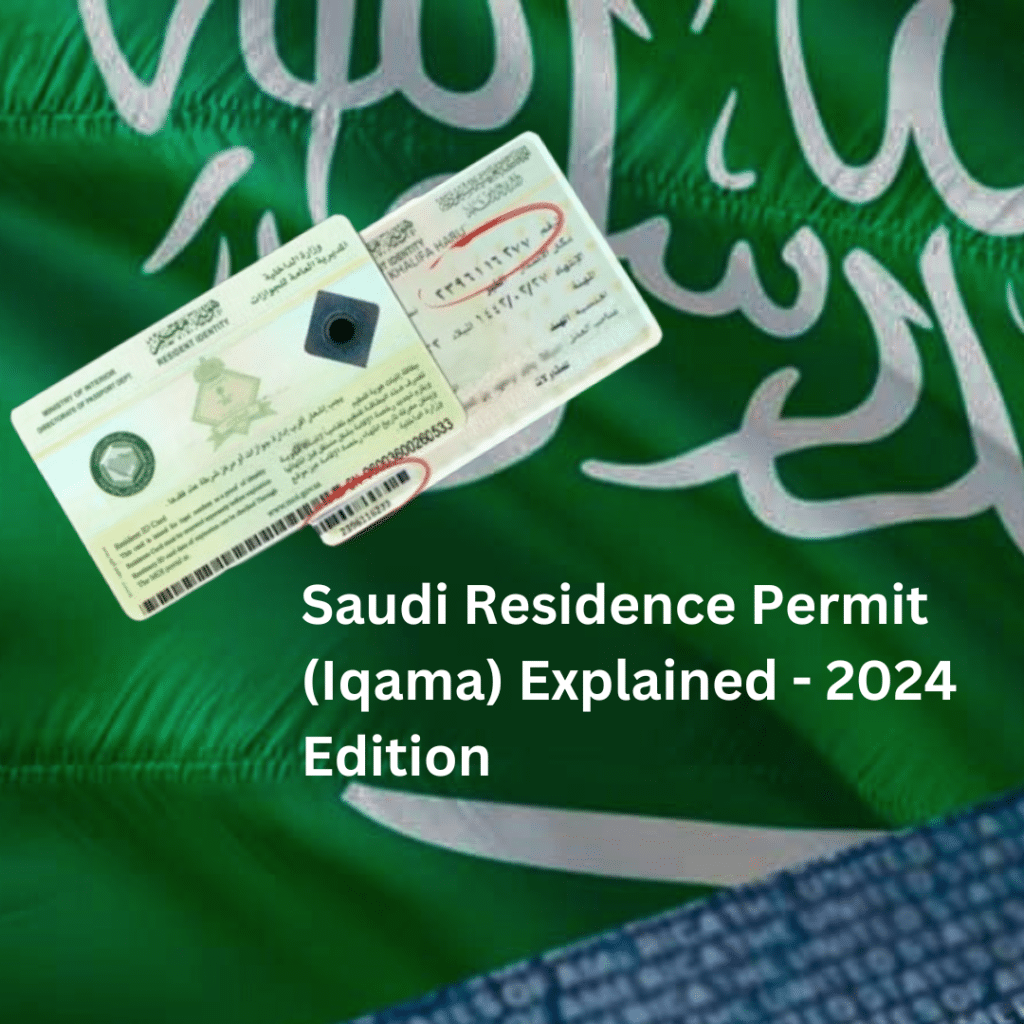
Saudi Residence Permit (Iqama) Explained – 2026 Edition This blog aims to provide you with a clearer understanding of the Saudi Arabian iqama and Saudi Iqama Fee in detail. Iqama is a residence permit for a expatriate granted by the Saudi government. We’ll cover the different types of iqamas, the requirements for obtaining one, the associated costs, and the importance of having an iqama in Saudi Arabia. What is an Iqama in Saudi Arabia? An iqama is a residence permit issued by the Saudi arabia government to foreign workers residing in the kingdom. It serves as an official form of identification for expatriates, granting them access to essential services and legal rights. Is an Saudi Iqama Necessary to Establish a Business in Saudi Arabia? Yes, an iqama is essential for foreign investors who want to start a business in Saudi Arabia. Obtaining a ‘Business Iqama’ is a key first step for those aiming to establish and manage a business in the country. This document is vital for navigating the process of setting up a business in Saudi Arabia. Types of Iqama in Saudi Arabia The Saudi government issues different types of Saudi iqama (residence permit) based on why someone is staying in the kingdom. Here’s a simple overview of each type: Professional Class Iqama This iqama is for people with professional degrees, like doctors, engineers, and teachers, who come to work in skilled jobs. It acts as proof that they are living in Saudi Arabia legally and allows them to access services and rights in the country. Employers must verify the qualifications of these professionals before the iqama is issued. Dependents Iqama This iqama is for the family members of expatriates working in Saudi Arabia, such as their spouses, children, and sometimes parents. The main iqama holder sponsors their family members, allowing them to live in the kingdom. However, this type of Saudi iqama doesn’t allow dependents to work unless they get their own work permits. Government Employees Iqama This iqama is for foreign workers who are employed by the KSA government. It’s similar to the Professional Class Iqama but is specifically for those working in government roles. It gives them the right to live and work in Saudi Arabia according to their government employment contracts. Business Iqama The Business Iqama is for foreign investors and entrepreneurs who want to start or manage a business in Saudi Arabia. It is a key document for anyone. Those involved in business activities in the kingdom. This iqama proves they are living in KSA legally and allows them to run their business. Special Privileged Iqama (Premium Residency Iqama) This iqama, also called premium residency iqama, is for investors and skilled professionals. It allows them to live, work, and own property in Saudi Arabia without needing a sponsor. This iqama comes with special benefits, like sponsoring visas for family members and hiring domestic workers. It can be permanent or renewable, depending on the type chosen. Domestic Worker Iqama This iqama is for people who work as household help, such as maids, drivers, cooks, and nannies. The employer sponsors the worker and is responsible for issuing and renewing the iqama. Labor Class Iqama This iqama is for workers in manual labor jobs, like construction, cleaning, or factory work. The employer sponsors these workers, and the iqama proves they are legally living and working in the kingdom. It also allows them access to necessary services like healthcare. Each iqama type is designed to meet the specific needs of different groups of expatriates in KSA. Knowing which iqama you need is important to ensure you’re following the rules and making the most of your time in the kingdom. Saudi Iqama Requirements To apply for a KSA, expatriates and their sponsoring employers must fulfill several key requirements: A Valid Employment ContractThe expatriate must have a signed and valid employment contract with a Saudi employer. This contract outlines the terms of employment, including job role, salary, and duration of employment, and serves as a legal agreement between the worker and the employer. A Clean Medical Certificate Attesting to Good HealthThe expatriate must undergo a medical examination and provide a certificate that confirms they are in good health. This certificate is required to ensure that the individual does not have any contagious diseases or medical conditions. That could impact their ability to work or pose a risk to public health in Saudi Arabia. Health InsuranceHealth insurance is mandatory for all expatriates in Saudi Arabia. The employer must provide a health insurance policy that covers the worker’s medical needs during their stay in the kingdom. This insurance is crucial for accessing healthcare services and is a prerequisite for iqama approval. An Active Work PermitThe Person must have an active work permit. This permit legally authorizes the individual to work in KSA and is closely tied to the iqama application process. Without a valid work permit, the iqama cannot be issued. How to Get a Saudi Iqama How Long is a Saudi Iqama Valid? A Saudi Arabia iqama is valid for one year and can be renewed annually. To ensure it remains valid, you must renew the iqama at least three days before it expires. How Much Does a Saudi Iqama Cost? Here are the iqama fees in Saudi Arabia based on the duration of validity: Additional fees include: Final Words: For comprehensive assistance with obtaining your Saudi Residence Permit (Iqama), contact Sony Manpower, the top recruitment agency in Pakistan specializing in KSA. With extensive experience in handling all aspects of the iqama process, Sony Manpower offers expert guidance on visa applications, residency permits, and work-related documentation. Whether you’re seeking a professional iqama, managing dependents, or navigating the complexities of self-employment in KSA, our dedicated team ensures a smooth and efficient process. Reach out to Sony Manpower to leverage our expertise and support for your successful stay and career in Saudi Arabia. More Resources: What is Saudi Arabia Resident Identity Card (Iqama)? Top Recruitment Agency In Pakistan For Saudi Arabia saudi
Multiple Exit re entry visa fee ksa in 2026- Complete Guide
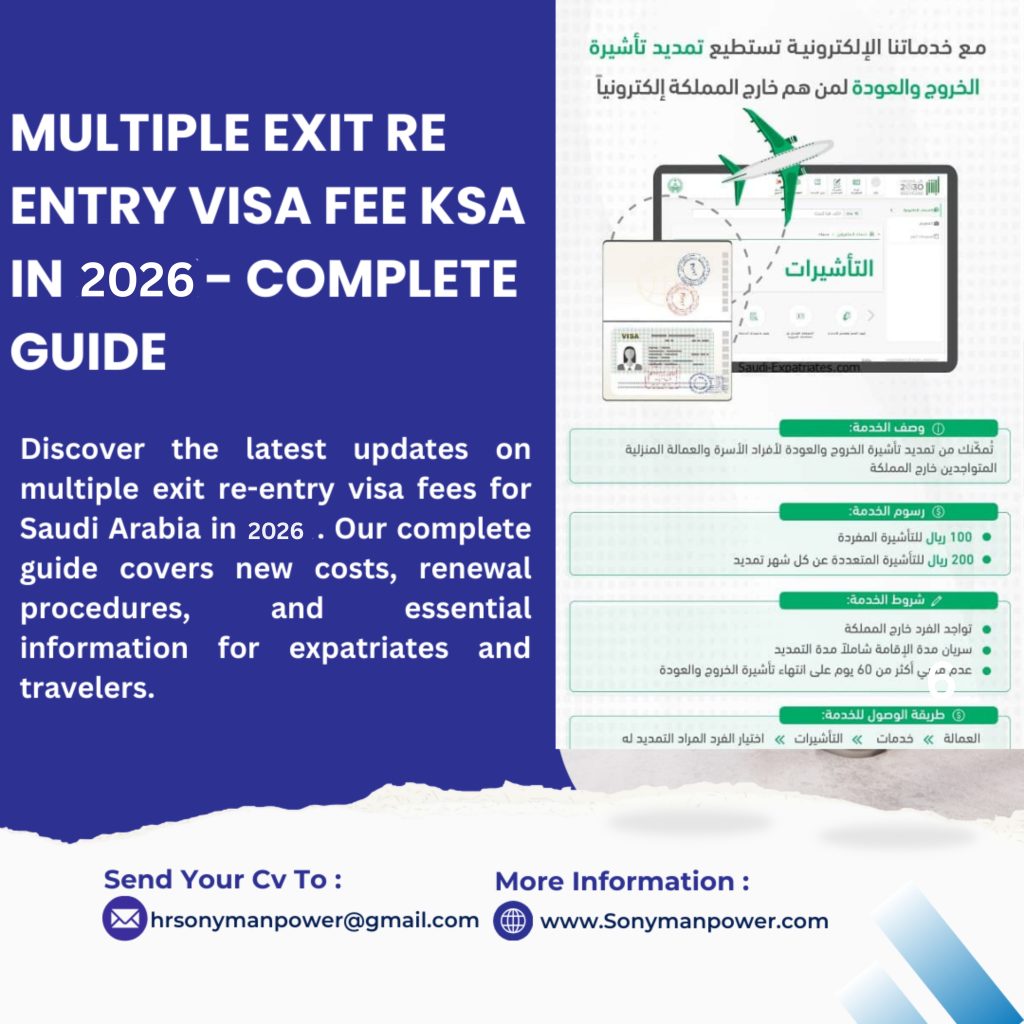
Multiple Exit re entry visa fee ksa in 2026- Complete Guide A Saudi exit/re-entry visa is crucial for individuals with family members or domestic workers outside the Kingdom of Saudi Arabia (KSA), as well as for employees who plan to temporarily leave the country and return within a specific period. This visa ensures that you can re-enter Saudi Arabia without issues after your travel. In this guide, you will find detailed information on the conditions and requirements for obtaining an exit/re-entry visa, how to check its status, the associated fees, and the process for extending the visa if needed. Keep reading to understand everything you need to know about securing and managing your Saudi exit/re-entry visa. Requirements for Saudi Multiple Exit/Re-Entry Visas To obtain a Saudi exit/re-entry visa, you must meet the following requirements: Valid Passport: Your passport should be valid for at least six months and have at least two blank visa pages. Online Application: Complete your visa application online at https://visa.mofa.gov.sa and make the payment. Ensure you follow the Enjaz guidelines and select “single entry” for the visa type. Residence Permit: Provide a copy of your valid residence permit. If your permit has been recently extended. Include a copy of the latest extension approval. Family Registration: Submit a copy of your family registration from the Directorate General of Passports in your Saudi city of residence. This document should include all relevant personal details. Employment Letter: Obtain a letter from your Saudi sponsor or consulate confirming your employment status and requesting an extension of your re-entry visa. If your sponsor is from the private sector. The letter must be notarized by the Saudi Chamber of Commerce. For government sector sponsors. It should be notarized by the Saudi Ministry of Foreign Affairs. Letter for Family Members: Spouses and children of employees in Saudi Arabia need a letter from the employee addressed to the Saudi Consulate. This letter should request an extension of their exit/re-entry visas and be notarized as mentioned above, depending on whether the employee works in the private or government sector. For Students: If students are residing outside Saudi Arabia for more than thirteen months, they must provide proof of current school enrollment and a notarized letter from a guardian residing in Saudi Arabia. For Long-Term Absence: Family members staying outside the Kingdom for over 13 months and employees outside for more than 6 months need a referral note from the Ministry of Foreign Affairs or its branches in Jeddah or Dammam. This note should include the number and date of the exit/re-entry visa. Overstay Visa Fee: If you stay outside Saudi Arabia beyond the visa’s expiration. You will be charged a fee of USD 100 per month for the overstay. Traveling Minors: Minors under 18 traveling alone or with one parent must provide a notarized letter in Arabic or English, signed by a parent or legal guardian. Make sure you fulfill all these requirements to ensure a smooth application process for your Saudi exit/re-entry visa. Changes to Multiple Exit Re-Entry and Iqama Fees for Expats Outside Saudi Arabia The Saudi government has recently announced an increase in fees for certain services that affect foreigners who are outside Saudi Arabia. Specifically, the costs for exit/re-entry visas and the renewal of residency permits (Iqama) have been doubled. Additionally, there are new fees for different scenarios, such as extending your stay or renewing your residency from abroad. If you are an expatriate currently outside Saudi Arabia, be aware that these changes may impact the amount you need to pay for these permits. It’s important to stay informed about the updated fees and any additional requirements that may apply to your situation. 1. Single Exit Re-Entry visa Fee Under the new regulations. The fee for a single exit re-entry visa has been updated. While the initial cost of obtaining the visa remains unchanged, the fee for extending the visa while you are outside Saudi Arabia has increased. Previously, the extension fee was SR 100 per month. It has now been raised to SR 200 per month. The visa fee for a Saudi single exit/re-entry visa, valid for a maximum period of 2 months, is 200 SAR (approximately 53.32 USD). 2. Multiple Exit Re-Entry visa Fee The fees for multiple exit re-entry visas have also been updated. The standard cost for the first three months remains SR 500, with an additional SR 200 for each extra month. However, if you are an expatriate outside Saudi Arabia and wish to extend or continue using your multiple re-entry visas, the fee has now doubled. The cost for a Saudi multiple exit/re-entry visa, which is valid for up to 3 months, is 500 SAR (about 133.29 USD). 3. Iqama Renewal Fee The updated regulations on Iqama renewal fees vary depending on your location. If you are renewing your Iqama while inside Saudi Arabia, the fee remains unchanged at SR 650 per year. However, if you are outside Saudi Arabia when renewing your Iqama, the costs may be different. 4. Dependent Fee in Saudi Arabia For dependents of expatriates renewing their Iqama from outside Saudi Arabia, the fee has also increased. The cost for renewing the Iqama for dependents is now doubled to SR 1300. This new fee applies if you are processing the renewal from abroad. 5. Explaining the Impact The recent changes in fees will affect how much expatriates need to budget for their visits or stays in Saudi Arabia. For those currently outside the Kingdom, the costs for extending visas and renewing residency permits have doubled. This increase in fees means that individuals and their families need to carefully review and adjust their financial plans to accommodate these higher expenses. 6. Companions of Expatriates When we talk about “companions of expatriates,” we are referring to family members who have traveled to Saudi Arabia with the expatriate. This includes parents, siblings, and spouses. Who are listed under the sponsored category in the Absher system. These companions are often included in the expatriate’s
How to do Zain APN setting in easy steps – 2026
How to do Zain APN setting in easy steps – 2026 Set Up Zain APN Settings on Android Devices In today’s world, staying connected to the internet is essential for our daily activities. To make sure you have a smooth and uninterrupted online experience with Zain, it’s important to have the correct internet settings on your Android device. Sometimes, setting up the Zain APN (Access Point Name) Setting can be tricky, but don’t worry—this guide will walk you through the process step by step. Follow these easy instructions to manually configure your Zain APN internet settings. By doing so, you’ll ensure that your internet connection works perfectly, no matter what Android smartphone you have in Saudi Arabia. This guide provides universal settings that can be applied to various devices, making it simple for you to stay connected. Let’s get started! Here are the specific smartphone models that are compatible with this process: Nokia Samsung Huawei LG HTC Alcatel Lenovo Asus Honor Motorola Xiaomi Follow these easy steps to manually configure your Zain internet settings and ensure you stay connected without any interruptions. Zain APN Internet Settings Configuration Step 1: Access Your Smartphone Settings Start by unlocking your Android smartphone and navigating to the “Settings” menu. Step 2: Go to Connections/More In the “Settings” menu, scroll down and select “Connections” or “More” (this may vary depending on your device). Tap on it to proceed. Step 3: Go to Mobile Network In the “Connections” or “More” settings, find and tap on “Mobile Networks” to access your network settings. Step 4: Add a New APN In the “Mobile Networks” section, tap on “Access Point Names.” Then, click on the ‘+’ icon or “Add” to create a new APN configuration. Now, proceed with the following steps to configure your APN and MMS settings. This will help you address and resolve any persistent internet connectivity issues you might be experiencing. Zain Internet Settings: Internet Optimization Process Setting Value Name Zain Internet APN Zain Proxy Not Set Port Not Set Username Not Set Password Not Set Server Not Set MMSC Not Set MMS Proxy Not Set MMS Port Not Set MCC 420 MNC 04 Authentication Type Not Set APN Type Default APN Protocol IPv4 APN Roaming Protocol IPv4 Enable/Disable APN APN Enabled Bearer Unspecified MVNO Type None MVNO Value Not Set Simply follow these steps to achieve a better and smoother internet connection in no time! Zain APN Settings: Quick Internet/MMS Setup MMS Optimization Process Setting Value Name Zain Internet APN Zain Proxy Not Set Port Not Set Username Not Set Password Not Set Server Not Set MMSC http://10.122.200.010 MMS Proxy 10.122.200.010 MMS Port 8080 MCC 420 MNC 04 Authentication Type Not Set APN Type Default APN Protocol IPv4 APN Roaming Protocol IPv4 Enable/Disable APN APN Enabled Bearer Unspecified MVNO Type None MVNO Value Not Set These settings will help you quickly set up your internet and MMS for a smoother experience. Follow these steps for a quicker and smoother MMS connection in no time. If you continue to experience issues after applying these settings and need professional assistance, please reach out to Zain customer support or visit their official website. Zain Customer Support: 959 Official Website: https://zain.com/en Final Thoughts By following the outlined steps, you can input the essential Zain APN Internet settings, ensuring a seamless connection experience. These configurations cover both Internet and MMS settings to cater to different needs and preferences. Once implemented, your internet should function flawlessly. More Resources: Zain to Zain balance transfer and receiving Process – 2026 FAQs (Frequently Asked Questions) How do I set my data APN? Open your Settings and look for options like Wireless & Networks, More Networks, or Connections. Select Mobile Networks, then Access Point Names. Locate the option to create a new APN and select it. What is APN in SIM settings? APN stands for Access Point Name. It helps your phone connect to the internet. Think of the APN as the key your phone uses to link up with the internet. It contains specific settings that allow your device to access the mobile network. Should you change your APN? Usually, you don’t need to change your phone’s APN settings. However, if you experience a poor connection or slow internet, adjusting the APN settings can help improve your connectivity. This applies to all types of phones, including budget Android devices and iPhones. Does APN increase speed? Having the correct APN settings can enhance your phone’s internet speed. This improvement allows you to watch HD videos, play online games, and perform other tasks seamlessly.
Step by Step Methods to Use Friendi Recharge Code in KSA – 2026
Step-by-Step Methods to Use Friendi Recharge Code in saudi Arabia Are you looking for a simple way to recharge your Friendi Mobile card in Saudi Arabia? Whether it’s your first time or you just need a quick refresher, we’re here to help. We’ll guide you through three easy methods to top up your balance using a Friendi Recharge Code, the Friendi Mobile app, or the official Friendi website. These methods are straightforward and user-friendly, so you can recharge your Friendi Mobile card without any hassle. 3 Simple and Easy Methods For Friendi Recharge Code in Saudi Arabia Method 1: Friendi Mobile Recharge Code Recharging your Friendi Mobile card is quick and easy with just a simple code. Here’s how you can do it: Simple Steps for Friendi Recharge Card Code: Another Easy Way to Recharge Your Friendi Card: You can also recharge by dialing 101 followed by your voucher number and then #. For Example: Dial 10101234556789#. That’s it! Your Friendi Mobile card will be recharged instantly. Method 2: Friendi recharge code KSA Through the App One of the easiest ways to recharge your Friendi mobile card is by using the Friendi mobile app. Just follow these simple steps: 7 Steps to Friendi Card Recharge Code Using the App That’s all there is to it! Your balance will be ready to use in no time. Method 3: Friendi internet recharge code by Calling Customer Service For those who prefer a more personal touch, you can recharge your Friendi mobile card by calling their helpline: These three methods provide flexibility and convenience, ensuring your Friendi mobile card stays topped up whenever needed. Say goodbye to interruptions and enjoy seamless connectivity at your fingertips! More Resources: How to Check Saudi Arabia Visa is Authentic Or Not- 2026 Frequently Asked Questions (FAQs), How to do a Friendi SIM recharge code? Recharging your Saudi Friendi card is easy! Just follow these steps: How to Add Load to Friendi? Adding a load to your Friendi account is simple. Just follow these three steps after creating your Ding account: How to Get Your Friendi Number? Getting your Friendi number is quick and easy. Just dial 1151# on your mobile, and your Friendi number will appear on your screen instantly. How to Register Data on Friendi? Setting up mobile data on Friendi is super easy! Just follow these steps: How to Check SIM Validity on Friendi Mobile? Curious about your SIM’s validity? No worries! Simply dial 1252, and we’ll check it for you. If you need to change your credit transfer password, follow these easy steps:
Zain to Zain balance transfer and receiving Process – 2026
Zain to Zain balance transfer and receiving Process – 2026 Transfer and Receive Balance from Zain to Zain Learn how to easily transfer and receive balances between Zain to Zain numbers in Saudi Arabia with this updated guide from Sony Manpower. We break down the process step by step, making sending credit within the Zain network simple. Plus, we cover the key terms and conditions you need to know. All information is sourced from Zain’s official channels, ensuring it is accurate and up-to-date for 2026. Discover how to seamlessly transfer and receive balances between Zain numbers in Saudi Arabia with our comprehensive guide. This step-by-step walkthrough simplifies the process, ensuring you can easily send credit to friends and family within the Zain network. Additionally, we highlight the essential terms and conditions that govern this service, so you’re fully informed before making any transactions. If you also use STC in Saudi Arabia, you can learn how to transfer balance between STC numbers using simple methods. Read our detailed guide on STC to STC Balance Transfer in Easy Method – 2026. Zain to Zain Balance Transfer and Receive: Balance Transfer: Sender Receiver Compose a New Text Message. Compose a New Text Message. Type: BT (space) recipient number (space) amount. Type: ID (space) Iqama number. Send to 702702. Send to 702702. Wait for the confirmation message. Wait for the confirmation message. Balance Transfer How to Transfer Balance from Zain to Zain (Easy Understanding). For the Sender: Open your messaging app to create a new text message. Type the following: BT [recipient’s number] [amount]. Example: BT 1234567890 10 (to send 10 units). Send the message to 702702. Wait for a confirmation message to know the transfer was successful. For the Receiver: Open your messaging app to create a new text message. Type the following: ID [Iqama number]. Example: ID 1234567890 (your Iqama number). Send the message to 702702. Wait for a confirmation message to know the transfer was successful. Now, your balance transfer is complete! How to Receive Balance on Zain Ensure you have received a balance transfer request from the sender. Open your messaging app to create a new text message. Type the following: ID [Iqama number]. Example: ID 1234567890 (your Iqama number). Send the message to 702702. Wait for a confirmation message to verify that you have received the balance. That’s it! You have successfully received the balance on your account. Important Terms and Conditions for Zain to Zain Balance Transfer Cost of Using the Transfer Service:When you use the balance transfer service, a small fee of 0.50 Halala will be taken from your balance. This means that the amount you send will be slightly less than what you intended because of this fee. Minimum Amount You Can Transfer:The least amount you can send in one transfer is 5 SAR. This allows you to make smaller transfers when needed, giving you more options for sending money. Maximum Amount You Can Transfer:You can send up to 50% of your total available balance in a single transfer. This rule is in place to ensure that you don’t transfer too much money at once and still have enough left in your account. Maximum Amount You Can Transfer in a Day:There is a limit of 250 SAR for how much you can transfer in one day. This helps you use the service responsibly and prevents large withdrawals in a short period. Minimum Balance After Transfer:After you make a transfer, you must have at least 25 SAR left in your account. This ensures that you always have some balance available for your own needs after sending money to someone else. Following these terms and conditions allows you to enjoy a smooth balance transfer process while managing your money effectively. Make sure to stay updated on any changes to these rules by checking Sony Manpower regularly. Final Thoughts Our guide makes it easy to understand Zain to Zain balance transfer and receive in Saudi Arabia. The steps are straightforward, and we’ve highlighted important terms for your convenience. All the information comes directly from Zain Company, ensuring that it is accurate and reliable. If you have any questions, feel free to reach out to the Company using the WhatsApp number mentioned Here (+966590005959). Now you can confidently manage your credit transfers with ease! More Resources: How to do Zain APN setting in easy steps – 2026 Stc To Stc Balance Transfer In Easy Method – 2026 Top Recruitment Agency In Pakistan For Saudi Arabia
How to Check Iqama Huroob in Absher

How to Check Iqama Huroob in Absher – 2026 Iqama Overview Iqama is the residency permit issued to expatriates working in Saudi Arabia. It’s an important document that allows foreigners to live and work legally in Saudi Arabia. One Important aspect of the Iqama is the status of “Iqama Huroob,” which refers to the absconding (escape) status of an expatriate employee. If an employer reports an employee as having absconded or run away, their Iqama will show a Huroob status. Which led to severe consequences, including arrest, deportation, and a ban on re-entry into Saudi Arabia. Checking the status of Iqama Huroob is crucial for expatriates(residents) to ensure their legal standing in Saudi Arabia. The Absher platform is a service provided by the Ministry of Interior. Allows residents to check Iqama Huroob Status. This blog provides a detailed, step-by-step guide on how to check Iqama Huroob status using the Absher platform. What is Iqama Huroob? Before diving into the process, it’s essential to understand what Iqama Huroob means: Huroob (Escaping Status): This status indicates that an employee has run away or escaped from their employer without notifying them. The employer reports the Huroob status to the Ministry of Interior, which then updates the employee’s Iqama accordingly. Consequences of Huroob: Once marked as Iqama Huroob status, the expatriate loses their legal right to stay in Saudi Arabia, leading to potential arrest, deportation, and a ban on future entry into the Saudi Kingdom. Why is it Important to Check Iqama Huroob Status? Legal Standing: Knowing your Iqama huroob status helps you stay compliant with Saudi Arabia laws. Avoiding Penalties: If you are marked as Huroob without your knowledge. You can take immediate action to resolve the issue before facing legal consequences. Employment Verification: Employers also use this information to verify the legal status of their employees. Steps to Check Iqama Huroob Status Using Absher Step 1: Access the Absher Portal Visit the Absher website: Open your web browser and go to the official Absher portal at absher.sa. Language Preference: The website is available in both Arabic and English. You can switch to English by clicking on the English option at the top of the page. 2: Log in to Your Absher Account Absher Account: Ensure you have an Absher account. If you don’t have one, you’ll need to create an account by providing your Iqama number, phone number, and other personal details. Login Credentials: Enter your username (or Iqama number) and password. Captcha Verification: Complete the captcha challenge to confirm you are not a robot. Authentication: You might be required to verify your login with a One-Time Password (OTP) sent to your registered mobile number. 3: Navigate to “Inquiries” Main Dashboard: Once logged in. You’ll be directed to the main dashboard. Inquiries Section: Navigate to the “Inquiries” option, typically found under the “My Services” tab. 4: Select “Employee Services” Employee Services: Under the Inquiries section, click on “Employee Services.” Query Iqama Status: You will find an option to check the status of your Iqama. Including whether it is marked as Huroob. 5: Enter Your Iqama Number Iqama Number: Enter your Iqama number in the provided field. Submit: Click on the “Submit” or “Query” button. If you don’t know your Iqama number, you may be able to find it using your border number. This can be useful for expatriates who are waiting for their Iqama to be issued or don’t have their Iqama number available. For a detailed guide, read How To Find Iqama Number By Border Number – 2026. 6: Review the Status Huroob Status: The system will display your Iqama details. Including whether you are marked as Huroob. Further Actions: If you see a Huroob status on Your Iqama, it is Important to contact your employer or the relevant authorities immediately to resolve this issue. What to Do If Your Iqama Shows Huroob Status? If your Iqama is marked as Huroob. It’s essential to take immediate action: Contact Your Employer: If the Iqama Huroob status was reported mistakenly. Hence discuss the matter with your employer and request them to withdraw the report. Seek Legal Assistance: If your employer is uncooperative, Also consider seeking legal advice from a professional who specializes in Saudi labor laws. Visit the Ministry of Labor: In some cases, visiting the Ministry of Labor or the Passport Office (Jawazat) in person may help resolve the issue. Final Words: Checking your Iqama Huroob status on Absher is a crucial step for expatriates living in Saudi Arabia. Staying informed about your Iqama status ensures you remain compliant with Saudi laws and avoid potential legal issues. You should also keep track of your Saudi visa status and validity. If you need to verify your visa information online, you can check your Saudi visa Muqeem online. By following the steps outlined in this guide, you can monitor your status and take the necessary actions if any issues arise. Frequently Asked Questions (FAQs) 1. Can I remove the Huroob status on my own? No, only your employer or the relevant Saudi authorities can remove the Huroob status. Hence You must work through official channels to resolve the issue. 2. What happens if I ignore the Huroob status? Ignoring the Huroob status can lead to severe consequences, including arrest, deportation, and a permanent ban on entering Saudi Arabia. 3. Can I check the Huroob status without an Absher account? No, you need an Absher account to check your Iqama status online. Alternatively, you may visit the Passport Office for assistance. 4. How long does it take to resolve a Huroob issue? The resolution time varies depending on the circumstances and the cooperation of your employer and the authorities. More Links: Sony MAnpower Top Recruitment Agency in Pakistan Recruitment Agency In Pakistan For Saudi Arabia
Check How Many Sims Registered On My Iqama
Check How Many Sims Registered On My Iqama in 2026 Check SIM Cards in KSA In Saudi Arabia, it’s common to have multiple SIM cards for personal use, business, or internet access. It’s important to keep track of how many SIM cards are registered under your Iqama, which is the ID card for expatriates. If you have SIM cards registered in your name without knowing it, it can cause problems and even legal issues. To help with this, the CITC portal offers a service called ‘Argami.’ This service lets you check how many SIMs are registered under your Iqama. Additionally, various mobile companies like STC, Mobily, Zain, Jawwy, and Lebara offer SMS services to help you find SIM cards registered under your name on their networks. We have gathered information from three different sources to create a simple guide on how to check the number of SIMS registered to your Iqama. In this guide, we’ll explain different methods, give you step-by-step instructions, and answer common questions so that you have all the information you need. As a top recruitment agency in Pakistan, Sony Manpower helps hundreds of workers relocate to Riyadh each year — and knowing the correct postal code can make a real difference when submitting documents or receiving important mail. How to Check SIM Cards on Iqama? Method #1: Using the CITC Web Portal If you have a SIM card registered under your name and want to find out how many SIMS are linked to your Iqama, you can use the CITC web portal. Here’s how: Go to the CITC Website: Open your browser and visit the CITC web portal at https://arqami.citc.gov.sa. Choose Your Language: Select”ENGLISH”, or “ARABIC” to change the language. As I am writing in English You can translate it too. 3. Select Inquiry Type: Choose “Inquiry” and specify “Individual” as the type. 4. Enter Your Iqama Number: Type in your Iqama number. 5. Enter Your Date of Birth: Type in your Date of Birth. 6. Mobile Number Selection: In the “Hash Mobile Number” section, choose “I do not have a mobile number” if you don’t have one. If you have a registered mobile number, please enter it in the provided field. 7. Enter the OTP Code: Type the OTP code into the designated box 8. Click on Enquiry Button: 9. Enter OTP and Submit: You will receive a one-time password (OTP) sent to your registered mobile number. Enter the OTP and then click “Submit.” 10. View Linked Mobile Numbers: The CITC system will show you a list of mobile numbers and data SIMs associated with your Iqama. The CITC web portal quickly checks the Saudi SIM card numbers registered under your Iqama and displays their status. Method #2: Checking SIM Registrations Without a Registered Mobile Number f you don’t have a mobile number linked to your Iqama, you can still check your SIMS registrations. Here’s how: Go to the CITC Website:Open your browser and visit the CITC web portal at https://arqami.citc.gov.sa. 2. Select Inquiry Type:Choose “Individual” as the inquiry type. 3. Input Your Iqama Number:Enter your Iqama number in the provided field. 4. Enter Your Date of Birth:Fill in your date of birth in the specified section. 5. Select Mobile Number Option:Choose the option that says “I don’t have a registered mobile number.” 6. Click “Enquiry.” 7. View Registered SIM Cards:The CITC system will review its records and show you the names of the mobile companies that have registered SIM cards under your Iqama. Using this method, you can find out which companies have registered SIM cards to your Iqama, even if you haven’t connected a mobile number. Method #3: Check Registered SIM Cards via SMS Mobile companies like Mobily, STC, Zain, Virgin, and others provide an SMS service to check SIMS registered under your Iqama. Here’s how to use this service: Mobily: Send a blank SMS to 616166. STC: Type “9988” in a text message and send it to 902. Zain: Send a blank SMS to 700123. If you use Zain in Saudi Arabia and want to send or receive balance from another Zain number, you can also learn how the balance transfer process works. See our detailed guide: Zain to Zain Balance Transfer and Receiving Process – 2026. Virgin: Send a blank SMS to 1789. Each service provider will respond with a message listing all the SIM cards registered under your Iqama on their network. Method #4: Using the CST App for CITC SIM Check The CST (Communications and Information Technology) app provides a convenient way to check the registrations of SIM cards linked to your Iqama. This app is available for both Android and iOS users. Here’s how to use it: 1. Open the CST app from the Play Store. 2. Log In Using the National Access Portal.Sign in through the national access portal. 3. Click on Username and Password:Select the option for Username and Password to log in. 4. Input the one-time password (OTP) and click “Continue.” 5. Click on “Argami.” 6. View Registered SIM Card Numbers:The app will show you all the SIM card numbers linked to your Iqama. Method #5. Checking Registered SIM Cards on Iqama in Absher If you’d like to check the SIM cards registered under your Iqama using Absher, follow these steps: Go to the Absher Nafaz Website:Visit the Absher Nafaz website by clicking on this link: https://www.iam.gov.sa/. Select English Language:Choose the “English Language” option. 3: Select the “Login option” 4. Enter Iqama Number and Absher Password:Type in your Iqama number and your Absher password. 5. Enter Captcha and Log In:Type the Captcha code and click on “Login.” 6. Enter One-Time Password (OTP):You will receive a One-Time Password (OTP). Please enter the OTP in the designated field. 7. Go to CITC in Services:Scroll down to find CITC listed as the third option, and select “Communications Commission CST.” 8. View Registered
How can I check my saudi visa Muqeem Online – 2026
How can I check my saudi visa Muqeem Online – 2026 Muqeem Visa The Muqeem Visa is part of the visa framework in the Kingdom of Saudi Arabia (KSA). It refers to the electronic platform used by expatriates, residents, and employers to manage their visa-related issues. The term “Muqeem” means “resident” in Arabic, which fits because the system primarily serves those who live or conduct business in the Kingdom. Purpose of the Muqeem System The main purpose of the Muqeem system is to streamline and digitize visa services, making it easier and more efficient for users to check visa validity, renew visas, and access other related services without the need for physical paperwork or in-person visits to government offices. By offering these services online, KSA aims to improve transparency, speed up administrative processes, and ensure that residents and businesses comply with the country’s immigration and labor laws. Types of Visas Under Muqeem The Muqeem online platform in KSA allows users to verify the status and details of various visa types, accommodating the diverse needs of those who visit or reside in the Kingdom. Commonly checked visa types include: Resident Visas (Iqama): For expatriates living in Saudi Arabia. Visit Visas: For short-term stays. Hajj and Umrah Visas: For pilgrims traveling to Mecca and Medina. Business or Commercial Visas: For entrepreneurs and professionals visiting for work-related matters. Family Visit Visas: For relatives of residents. The system’s comprehensive nature ensures that individuals and businesses have a centralized platform to monitor and manage their visa-related issues, highlighting the Kingdom’s commitment to improving administrative efficiency and customer experience. Reasons to Check Your Muqeem Visa Validity Checking the validity of your Muqeem visa validity KSA is crucial for several reasons: Legal Compliance: Overstaying past the visa expiration date can have legal repercussions, including fines, deportation, or even imprisonment. Financial Considerations: Overstaying can lead to significant fines, as many countries impose daily penalties for each day past the visa expiration. Future Travel Concerns: A record of overstaying can affect future visa applications, potentially leading to rejections or increased scrutiny. Avoiding Unforeseen Interruptions: Knowing your visa’s expiration date helps plan your stay, work, or business activities, ensuring no unexpected disruptions. Renewal Strategies: Keeping track of visa validity allows individuals to prepare for renewal processes in advance. Regularly checking your visa validity is essential to ensure that your international travel or stay remains hassle-free and within the legal boundaries set by the host country. Steps to Muqeem Visa Validity Check Online in 2026 To stay compliant with regulations in KSA, it’s essential for Muqeem visa validity Check. The Muqeem portal provides an efficient and user-friendly way to verify this information online. Here’s a step-by-step guide: Access the Muqeem Portal: Visit the official Muqeem website. Ensure you’re accessing the genuine site to secure your personal information. Choose Language Preference: The portal might default to Arabic. If necessary, select the English option (or your preferred language), usually found at the top-right corner of the page. Navigate to Visa Services: On the homepage, locate the section or tab labeled “Visa Services” or a similar term. Select ‘Visa Validity’ Option: Under Visa Services, click on the option for “Visa Validity” or “Check Visa Validity”. Enter Required Information: You’ll be prompted to provide specific details to verify your identity and visa. This usually includes your passport number, visa number, and sometimes other details like nationality or date of birth. Complete the Security Check: To ensure genuine human access and protect the portal from bots, you may need to complete a captcha or a security verification step. Submit & View Results: After entering all required details and completing security checks, press the ‘Submit’ or ‘Check’ button. Your visa validity details will be displayed on the screen, showing the issue date, expiration date, and other relevant information. Save or Print a Copy: It’s wise to take a screenshot, save, or print a copy of your visa validity details for your records, especially if you’re planning travel or any other significant activity in the near future. Log Out: If you’ve logged in or accessed personal sections of the portal, ensure you log out securely to protect your personal data. By following these steps, you can easily ensure that your visa status remains valid, thus avoiding any potential complications or disruptions during your stay in Saudi Arabia. Always use secure internet connections when accessing such portals to protect your personal information. Benefits of the Online Muqeem Portal The Muqeem online portal, used by KSA, has revolutionized visa management for residents and visitors alike. This digital platform offers real-time visa status checks, eliminating the need for time-consuming, in-person visits to government offices. The convenience of 24/7 access allows users to monitor their visa status, renewals, and other related services from anywhere, ensuring they stay compliant with KSA’s regulations. Additionally, the centralized system offers enhanced transparency, facilitating better understanding and management of one’s visa affairs. By digitizing and streamlining visa services, the Muqeem portal underscores the Kingdom’s commitment to administrative efficiency and elevates the user experience for both residents and business entities in the region. How to Check Exit/Re-entry Visa Status Online In KSA, the exit/re-entry visa allows expatriates with a valid Iqama (residency permit) to travel outside Saudi Arabia and return without losing their residency. Given the critical nature of this visa, especially since failing to return before its expiration can have significant consequences, it’s essential to check its validity and terms. The Muqeem portal is a tool commonly used to verify visa statuses in KSA. If you also want to verify whether an expatriate has an absconding or Huroob status, you can learn How to Check Iqama Huroob in Absher through the Absher platform. Here’s a brief guide on how you can check your exit/re-entry visa status: Access the Muqeem Portal: Navigate to the official Muqeem website. Navigate to Visa Services: On the homepage, find the section or tab for “Visa Services” or a related term. Select ‘Exit/Re-entry Visa Status’: Click on an option that says “Exit/Re-entry Visa Status” or “Check Exit/Re-entry Visa”. Input Required Details: You’ll
Dubai Visit Visa Process From Pakistan in 2026
Dubai Visit Visa from Pakistan (2026) – Complete Guide Dubai remains one of the most popular travel destinations for Pakistanis. Every year, thousands of people travel to Dubai for tourism, family visits, business meetings, shopping, and short-term stays. Before planning a trip, it is important to understand the Dubai Visit Visa from Pakistan, including the requirements, documents, fees, and application process. This comprehensive guide explains everything you need to know about the Dubai Tourist Visa from Pakistan, helping travelers prepare their applications correctly and avoid unnecessary delays. What is a Dubai Visit Visa? A Dubai Visit Visa is a temporary travel permit that allows foreign nationals, including Pakistani citizens, to enter Dubai and other emirates of the United Arab Emirates (UAE) for tourism, family visits, business meetings, or short-term travel purposes. The UAE Visit Visa is issued electronically, and approved applicants receive an e-visa that can be presented during travel. Depending on the visa type, travelers may be allowed single or multiple entries into the UAE. Why Pakistanis Visit Dubai Dubai attracts visitors from Pakistan for many reasons: Family visits Tourism and sightseeing Business meetings Trade exhibitions Shopping festivals Medical treatment Educational visits Transit travel Dubai offers world-class infrastructure, modern attractions, luxury shopping centers, and excellent transportation facilities, making it one of the most visited cities in the Gulf region. Types of Dubai Visit Visas There are several types of Dubai Tourist Visa options available for Pakistani travelers. 30-Day Single Entry Visa This visa allows visitors to stay in Dubai for up to 30 days and enter the UAE once during the visa validity period. 30-Day Multiple-Entry Visa Travelers can enter and exit the UAE multiple times during the validity period. 60-Day Single Entry Visa Suitable for visitors planning a longer stay in Dubai or the UAE. 60-Day Multiple Entry Visa Ideal for business travelers and visitors who need flexibility during their trip. Five-Year Multiple Entry Visa Designed for frequent travelers who regularly visit the UAE. Transit Visa Available for passengers transiting through UAE airports for a short duration. Choosing the correct Dubai Travel Visa depends on the purpose and length of the visit. Who Can Apply for a Dubai Visit Visa from Pakistan? Pakistani citizens can apply for a Dubai Visa for Pakistanis if they meet the required conditions and provide the necessary documents. Applicants may include: Tourists Families visiting relatives Business travelers Students visiting family members Individuals attending conferences or exhibitions Medical visitors The approval of any UAE Tourist Visa remains subject to the assessment of UAE immigration authorities. Dubai Visit Visa Requirements Understanding the Dubai Visa Requirements is essential before submitting an application. Generally, applicants may need: Valid Pakistani passport Passport-size photograph CNIC copy Travel itinerary Hotel reservation or accommodation details Return ticket Financial proof if requested Travel insurance if applicable Sponsor documents when required Additional documents may be requested depending on the visa category and applicant profile. Documents Required for Dubai Visit Visa Preparing the correct documents can significantly improve the chances of a successful application. Passport The passport should normally have sufficient validity remaining before travel. Recent Photograph A clear passport-sized photograph meeting visa specifications. CNIC Copy A valid copy of the applicant’s National Identity Card. Flight Reservation Travel details showing intended entry and departure dates. Hotel Booking Proof of accommodation during the stay. Bank Statement Financial documents may be requested in certain cases. Sponsor Documents If a family member or organization is sponsoring the visit, supporting documents may be required. Keeping all documents accurate and updated can help avoid processing delays. Dubai Visit Visa Fee One of the most common questions travelers ask is about the Dubai Visit Visa Fee. Visa fees vary depending on several factors, including: Visa type Duration of stay Entry category Government charges Service provider fees Travel agency fees Insurance requirements Since visa charges may change from time to time, applicants should always obtain the latest fee information before applying. Dubai Visa Processing Time The Dubai Visa Processing Time depends on the application type and immigration review process. Standard Processing Most applications are processed within a few working days. Express Processing Some providers may offer faster processing options for eligible applicants. Peak Travel Seasons Processing may take longer during holidays and major travel seasons. Travelers are encouraged to apply well in advance of their planned departure date. How to Apply for a Dubai Visit Visa from Pakistan The application process for a Dubai Visit Visa from Pakistan is generally straightforward. Step 1: Choose the Visa Type Select the visa category that matches your travel purpose. Step 2: Prepare Required Documents Gather all necessary documents before submission. Step 3: Submit the Application Apply through authorized channels or licensed service providers. Step 4: Pay Applicable Fees Complete the payment process according to the selected visa category. Step 5: Wait for Processing Immigration authorities review the submitted application. Step 6: Receive Your E-Visa Approved applicants receive their visa electronically. Step 7: Travel to Dubai Carry printed and digital copies of your visa and supporting documents while traveling. Can Pakistanis Apply Online for a Dubai Visa? Yes, online applications are available for many visa categories. Applicants may be able to submit applications through: Authorized UAE immigration platforms Licensed travel agencies Approved airlines Authorized visa service providers Online applications have simplified the process and reduced paperwork for many travelers. Common Reasons for Dubai Visa Rejection Although many applications are approved successfully, certain issues can result in rejection. Incorrect Information Errors in passport details or application forms can create problems. Incomplete Documentation Missing documents may lead to delays or rejection. Poor Quality Scans Unclear passport copies and photographs may affect processing. Previous Immigration Violations Prior immigration issues can impact future visa applications. Passport Issues Damaged passports or insufficient validity may create complications. Applicants should carefully review all information before submission. How to Avoid Visa Rejection The following tips can improve application quality: Submit accurate information Use clear document scans Verify passport details Apply before travel dates Ensure all supporting documents are complete Follow official requirements Proper preparation can significantly reduce the risk of delays. Dubai Visit Visa Extension Many travelers ask whether a Dubai Visit Visa can be
Leading Oil and Gas Recruiter in Pakistan for Gulf Countries

Leading Oil and Gas Recruiter in Pakistan for Gulf Countries When it comes to the oil and gas industry, finding the right talent for shutdown, turnaround, and offshore/onshore projects can define the success of your operations. Sony Manpower Top Recruitment Agency stands as the top oil and gas recruitment agency in Pakistan, providing skilled and certified manpower solutions for major energy companies across Saudi Arabia, the UAE, Qatar, and other Gulf countries. For those working or preparing to work in Saudi Arabia, you can also check your Saudi visa Muqeem online to verify your visa status. With over 10 years of experience and ISO certification, Sony Manpower has earned a reputation as a trusted partner for multinational corporations seeking reliable, high-performing teams. Comprehensive Oil & Gas Recruitment Services Sony Manpower specializes in providing both blue-collar and white-collar professionals, ensuring clients have access to: 1) Engineers & Project Managers 2) Rigging Supervisors & Technicians 3) Welders & Fabricators 4) Rig Mechanics & Support Staff 5) Skilled personnel for shutdown and turnaround projects We cater to a wide range of offshore and onshore projects, ensuring candidates are technically skilled, safety-compliant, and capable of seamless integration into your teams. Our rigorous selection process includes interviews, technical assessments, and background checks, guaranteeing only the highest-quality talent. Why Sony Manpower is the Preferred Choice 1. Extensive Industry Experience With over a decade in the recruitment industry, Sony Manpower is considered the top recruitment agency in Pakistan that understands the specific challenges of the oil and gas sector. Our experience allows us to provide tailored staffing solutions for companies in Karachi, Lahore, Islamabad, and across the Gulf. 2. Strong Network & Partnerships We maintain strong ties with leading energy companies, training institutions, and industry experts, enabling access to a vast pool of qualified candidates. This ensures we can meet diverse client requirements, whether it’s for short-term contracts or long-term projects. 3. Specialized Services for Shutdown & Turnaround Projects Shutdown and turnaround projects demand precision, expertise, and efficiency. Sony Manpower delivers professionals trained in these critical operations, minimizing downtime and maximizing operational efficiency. 4. Focus on Quality, Compliance, and Ethics Sony Manpower adheres to global safety standards and ethical recruitment practices, providing reliable candidates who are certified, experienced, and compliant. Our commitment to excellence ensures client satisfaction at every stage. 5. Cost-Effective and Customized Recruitment Solutions Recruiting the right talent can be time-consuming and expensive. Sony Manpower streamlines the process, offering customized strategies that align with your project goals while saving time and resources. 6. Seamless Candidate Integration Our candidates are prepared for smooth onboarding, fully adaptable to organizational culture, and capable of contributing immediately to project success. Global Clientele and Proven Success Sony Manpower has successfully supplied skilled manpower to leading multinational companies, including: SPIE Oil & Gas QCON Qatar Lamprell UAE Chemical Corporation Our extensive experience and strategic recruitment approach have made us the go-to agency for oil and gas recruitment in Pakistan and the Gulf countries. Final Thoughts Choosing the right recruitment partner is essential for operational excellence in the oil and gas sector. Sony Manpower Recruitment Agency combines experience, expertise, and a vast talent network to provide unmatched staffing solutions. Whether you need engineers, riggers, welders, or specialized shutdown professionals, we deliver top talent that ensures safety, efficiency, and success. Partner with Sony Manpower to access reliable, skilled manpower and achieve a competitive advantage in the Gulf energy industry. Sony Manpower – Your Trusted Oil and Gas Recruitment Agency in Pakistan for Gulf Countries.